All Images
Introduction to Shiny
Figure 1
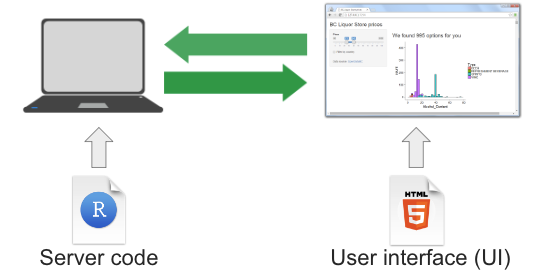 {alt=‘Diagram illustrating
shiny components from Dean Attali’s book’}
{alt=‘Diagram illustrating
shiny components from Dean Attali’s book’}
The Basics of a User Interface
Figure 1

Figure 2
Figure 3
Inputs and Outputs
Figure 1
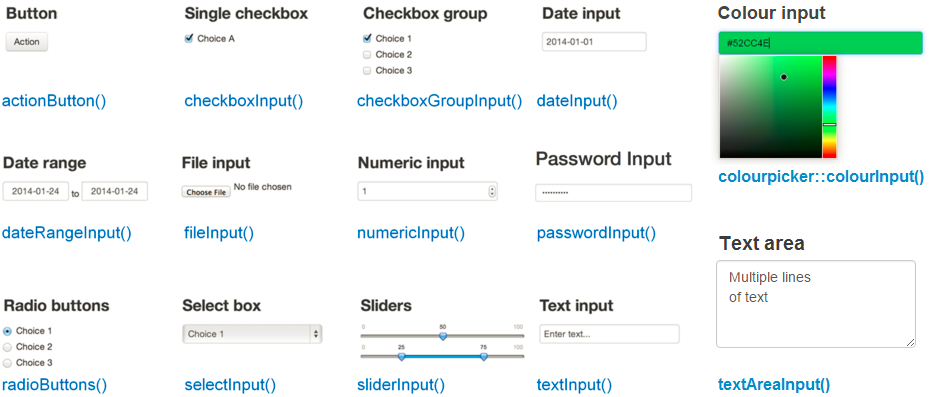
Figure 2
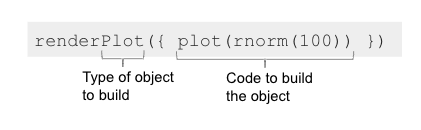 Note that the code inside
 render*() functions is enclosed
in curly braces {}. These braces define a block of code
that Shiny runs to generate the output. You can think of them as
grouping multiple lines of code together and passing them to the
rendering function as a single unit.
Organising Server Logic with Reactive Expressions
Making Shiny Apps Public
Figure 1

Figure 2